Who this is for
- Anyone running playoffs or a tournament weekend — the job, not the title.
- Often the commissioner during playoff week; sometimes a dedicated ops seat.
How you get in
- Sign in and open the league / season that has playoffs enabled.
- From team or season views, open the bracket / tournament view (alongside Ladder and Results).
- Work seeds, lock when ready, and schedule TBD slots ahead of time.
Built into the season: the live bracket, locked seeds, TBD matchups, team paths, and a consolation bracket all live right next to your Ladder and Results — no second tool. Elite Eight runs its playoffs this way with every feature on.
What you can do
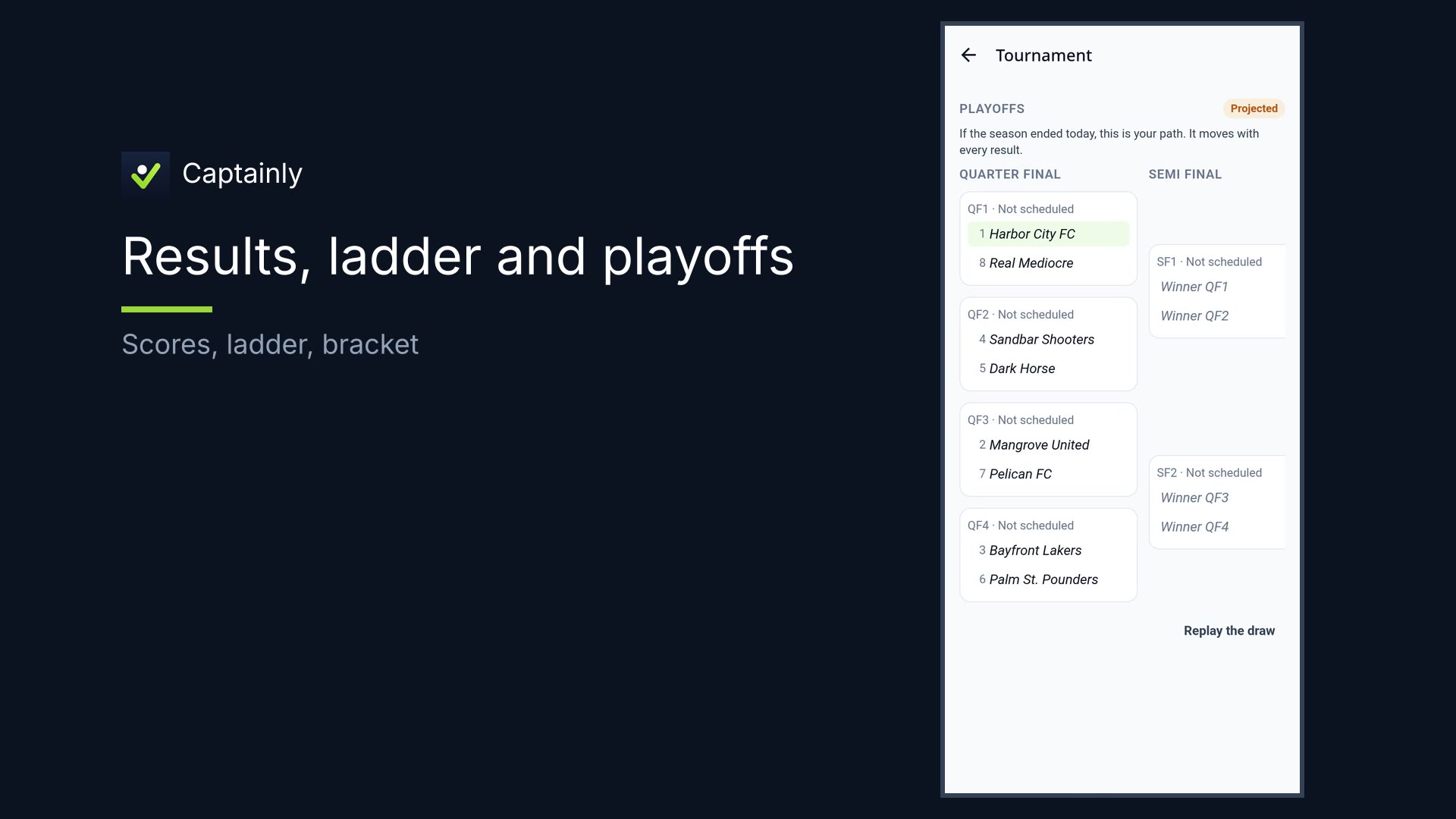
- Live bracket that follows the ladder until seeds lock
- Lock seeds — snapshot when ready so the bracket freezes cleanly
- Schedule TBD / matchup slots before teams are known
- Teams fill as results land
- Team paths — every team sees where it’s headed if the season ended today
- Consolation bracket for the next teams in, plus an optional third-place game
How to use it — tournament day
- Open the bracket / tournament view. See the live bracket — it follows the ladder until seeds lock. No manual reseeding every night.
- Lock seeds when ready. Snapshot the standings so the bracket freezes cleanly.
- Schedule TBD ahead. Book matchup slots before teams are known. As results land, teams fill those slots.
- Path for teams. Teams see their path if the season ended today — and it moves with every result.
- Consolation & third place. Give the next teams their own bracket, and add a third-place game if you want one — run the same way.
That’s tournament day in Captainly.